

Apple rarely arrives first to the party, but it tends to deliver an innovative twist when it eventually catches up to its rivals. AirPods, Face ID, Apple Watch, even the iPhone Duo weren’t the first of their kind, but they stood out for their leaps in design and functionality. However, as the launch of Apple’s first touchscreen MacBook Pro just proved, that’s not always the case.
Commercial touchscreen laptops have been around for almost two decades. Despite that, standard models have remained the default for valid reasons, most notably due to their perfect ergonomics. Instead of perfecting the formula as it usually does, Apple distracted fans with a recycled favorite—slapping on a glowing logo that had been retired a decade ago.
What makes the touchscreen MacBook especially baffling is how unnecessary it is. Apple already figured out the touchscreen setup back in 2019, and it’s been hiding in plain sight all these years.
Sidecar was released as part of macOS Catalina in 2019. Billed as a way to expand your workspace, it essentially lets you use an iPad as an external wireless display for your Mac. Once it’s connected via AirPlay, you can drag Mac windows to your iPad’s screen and interact with them as you would on your Mac. Most controls were previously limited to Apple Pencil or mouse and keyboard input, but with macOS 27, you can use your fingers, too. There’s even a handy Sidebar on the iPad for common controls, like bringing up the on-screen keyboard or returning to the iPad’s Home screen, along with the Touch Bar that was previously included with certain MacBook models.
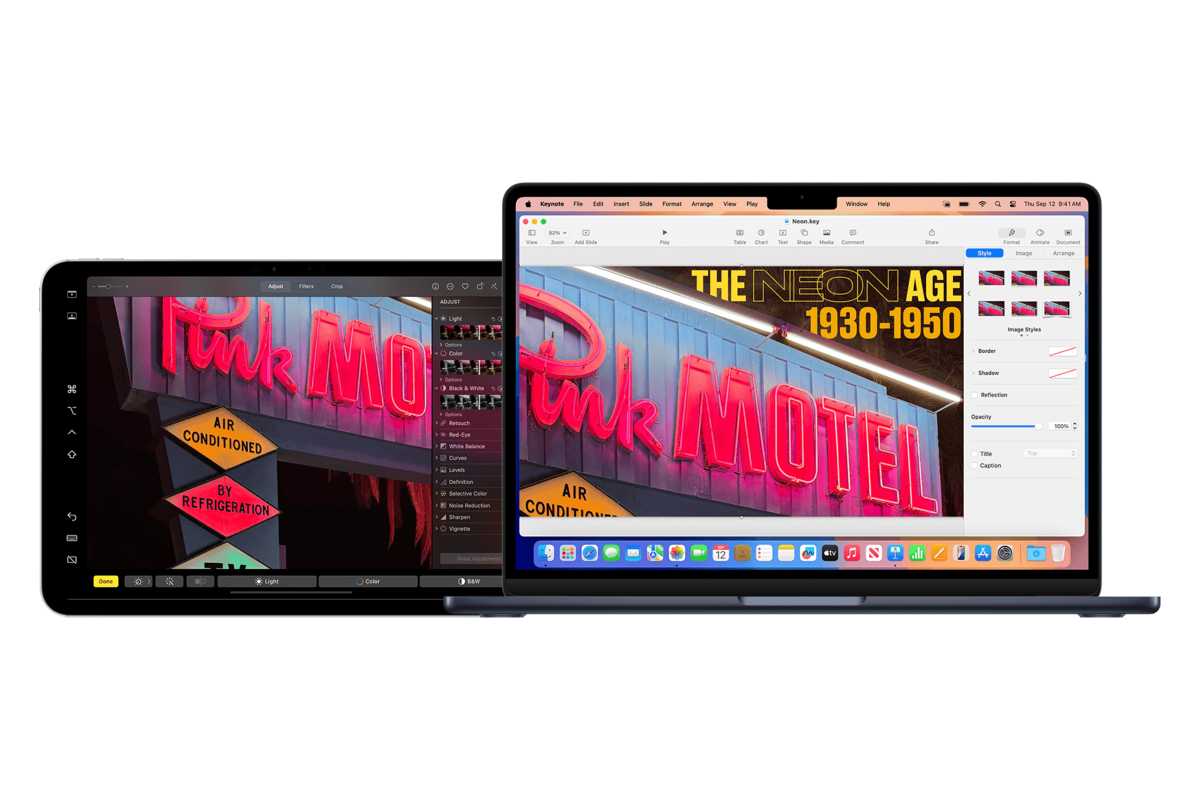
Sidecar turns your iPad into a wireless external display for your MacBook.
Apple
Steve Jobs famously opposed touchscreen laptops because “after an extended period of time, your arm wants to fall off.” When reading early rumors about the touchscreen MacBook, I had expected—or at least hoped—Apple would do something different by incorporating an innovative hinge mechanism. A convertible form factor would have allowed users to interact with the touchscreen horizontally and easily switch back to the traditional laptop mode whenever needed. Alas, that did not come to fruition.
I acknowledge that we shouldn’t take everything Steve ever said as gospel because technology evolves, but many of his remarks still hold true today. The main issue with touchscreen laptops has never been weight or thickness, as some Apple execs recently suggested. At no point while using my MacBook does it feel natural for me to extend my arm and touch its display, and most people would probably relate. The new MacBook Pro is no different, and a sturdier hinge and lighter chassis don’t resolve the actual problem.
Sidecar is a whole different story, however. My iPad is untethered from the MacBook’s keyboard, letting me flexibly touch its screen horizontally or otherwise. This allows me to utilize touch input on macOS when the need arises without straining my arm. It’s precisely the kind of innovation Apple is generally praised for, and we’ve already had it for years.
The MacBook Pro with a PROLED XDR Display caters to professional creatives by letting them interact with macOS apps using their fingers. Yet, curiously, the machine is seemingly incompatible with many of these professional creatives’ go-to accessory: the Apple Pencil. This bars power users from taking advantage of precise interactions, pressure sensitivity, tilt detection, and all the other perks they cannot achieve with their fingers.
Meanwhile, Sidecar on the iPad supports Apple Pencil input—not to mention that iPadOS can run many desktop-class creative suites natively. So, whether you’re Sidecar-ing or using the iPad independently, you get to unlock advanced creation controls and workflows that surpass what you can do with the new MacBook Pro.
Beyond functionality, using an Apple Pencil minimizes fingerprints on your display, and creators know all too well how relevant that is. I’m far from being a professional photographer, but I’m constantly wiping down my 13-inch iPad Pro M4 before editing pictures because color correction and healing blemishes on the pixel level require that kind of clarity. Without Apple Pencil support, the new MacBook Pro’s display is going to get all smudgy as you attempt to get work done.

You don’t need a touchscreen MacBook if you already have an iPad.
Apple
Another advantage for using Sidecar as a separate wireless monitor for your Mac is having two sets of app windows open on each screen simultaneously to work on more complex tasks. Touch Bar enthusiasts will also be delighted to learn that the discontinued MacBook feature lives on through Sidecar.
Non-MacBook Pro users, like those with a Mac mini/Studio, MacBook Air, or iMac, will especially appreciate being able to utilize the touchscreen without spending almost $3,000 on a new laptop—all thanks to Sidecar. In fact, it might be wiser to buy a Mac mini and an iPad Pro than a touchscreen MacBook Pro. Let’s break it down.
An M5 Pro Mac mini ($1,699) combined with an iPad Pro M5 ($1,199) costs $2,898—a dollar less than the touchscreen MacBook Pro (M5 Pro)’s starting price. With this package, you’d be getting one of the most advanced tandem OLED panels on the market and two desktop-grade processors instead of one, not to mention Apple Pencil support and far greater versatility.
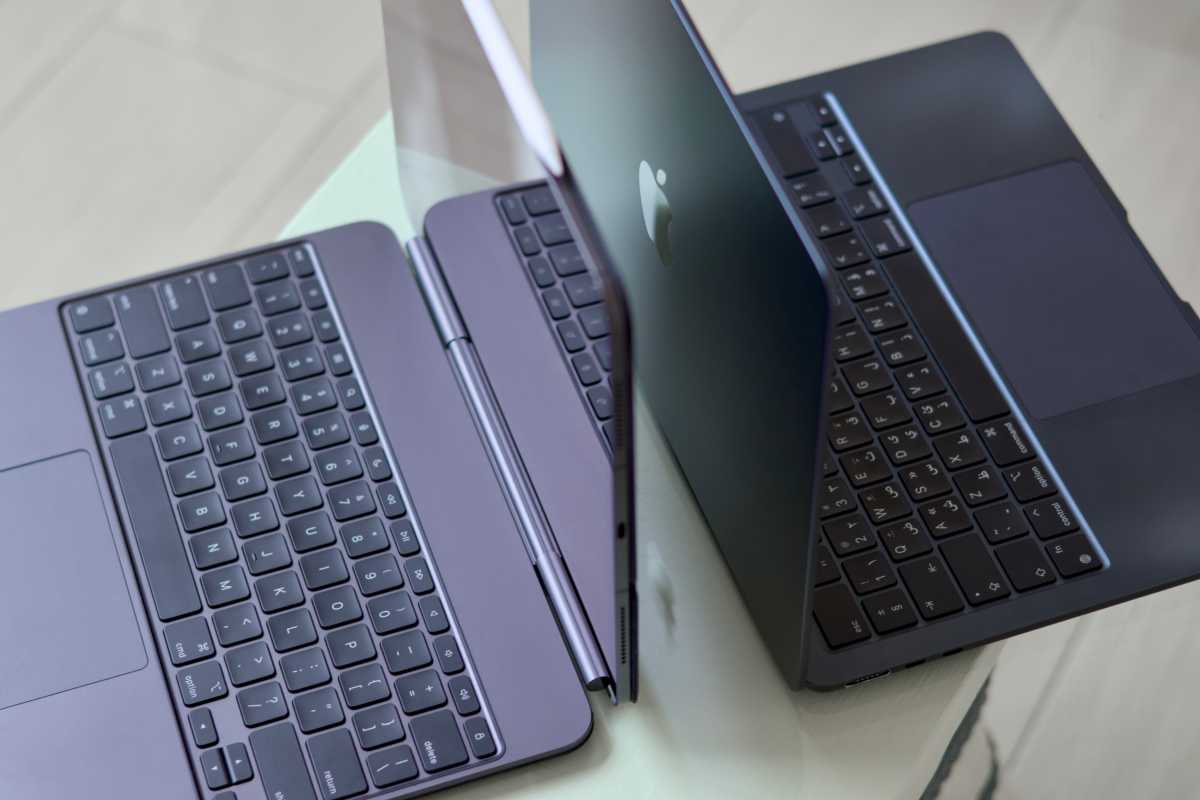
Sidecar gives you the versatility you won’t get in a touchscreen MacBook.
Foundry
I’ve long depended on Sidecar with my MacBook Air, and—unlike the touchscreen MacBook Pro—it remains a prominent example of Apple’s classic “It just works” philosophy. The built-in feature requires absolutely no setup, cables, or technical literacy. Your Mac magically pairs to your nearby iPad and lets you mirror or extend the display wirelessly. That’s the epitome of touchscreen support on a laptop, even surpassing the highly advanced convertibles in terms of practicality and overall user experience.
Ultimately, if touchscreen laptops were truly essential, they would’ve evolved meaningfully throughout the past years, and Apple wouldn’t have waited this long to release one. Professionals have been using standard laptops for decades just fine, and add-ons like Wacom graphics tablets continue to thrive among digital artists due to their precision and horizontal designs.
Steve Jobs once said that people don’t know what they want until you show it to them. Apple already showed us the right way to do touch on a Mac with Sidecar, and it shouldn’t have caved to market pressure to build the wrong one.


